Contents
- What is a martech stack, and why is yours messier than it looks?
- Why shouldn't you replace tools in your first 90 days?
- Days 1 to 14: what to do before you touch anything
- How do you find out what's actually running in your martech stack?
- Who should own your martech stack?
- Days 31 to 60: fix the record before the dashboard
- Too many tools, or too few?
- Where does AI fit in your first 90 days?
- What should you be able to show your CEO at day 90?
- The takeaway
- Questions
You've just started. You've inherited a martech stack that several agencies and admins have touched over the years: a CRM, some automations, a pile of forms, and reports nobody quite believes. Nobody owns any of it. And the clock is running, because median CMO tenure is now 36 months.
When a new marketing leader brings me in, they usually think the problem is the team or the tool. "Sales won't use the CRM." "We need SMS." "The dashboard is wrong." The request is usually close to the real problem, so I don't argue with it. But what I find underneath is almost always the same: nobody owns the system.
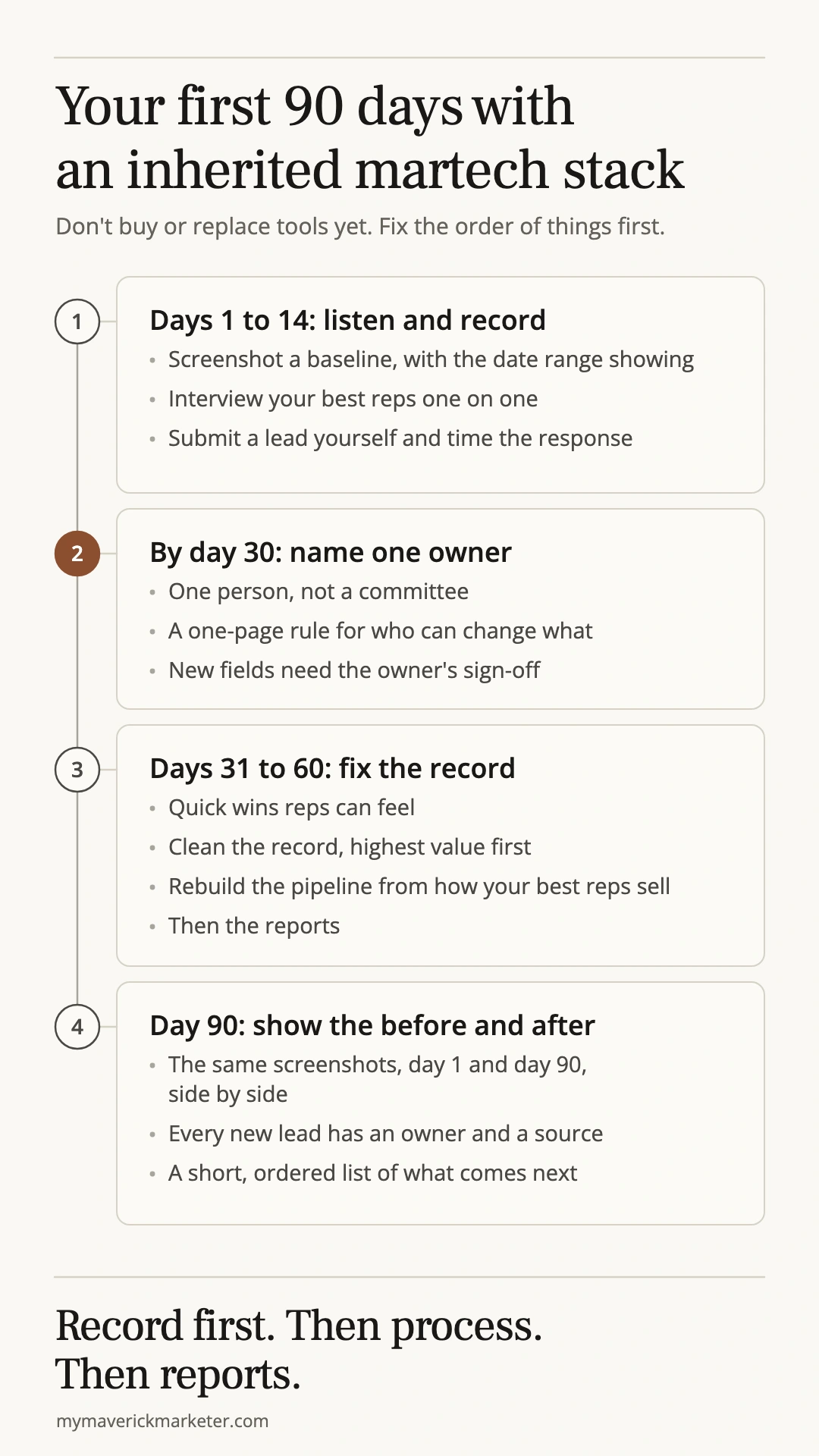
Here's what I'd do in your first 90 days, in order.
What is a martech stack, and why is yours messier than it looks?
A martech stack is the set of tools a marketing team uses to capture, store, act on and report on leads and customers. For most teams that means a CRM, marketing automation, forms, the integrations between them, and reporting.
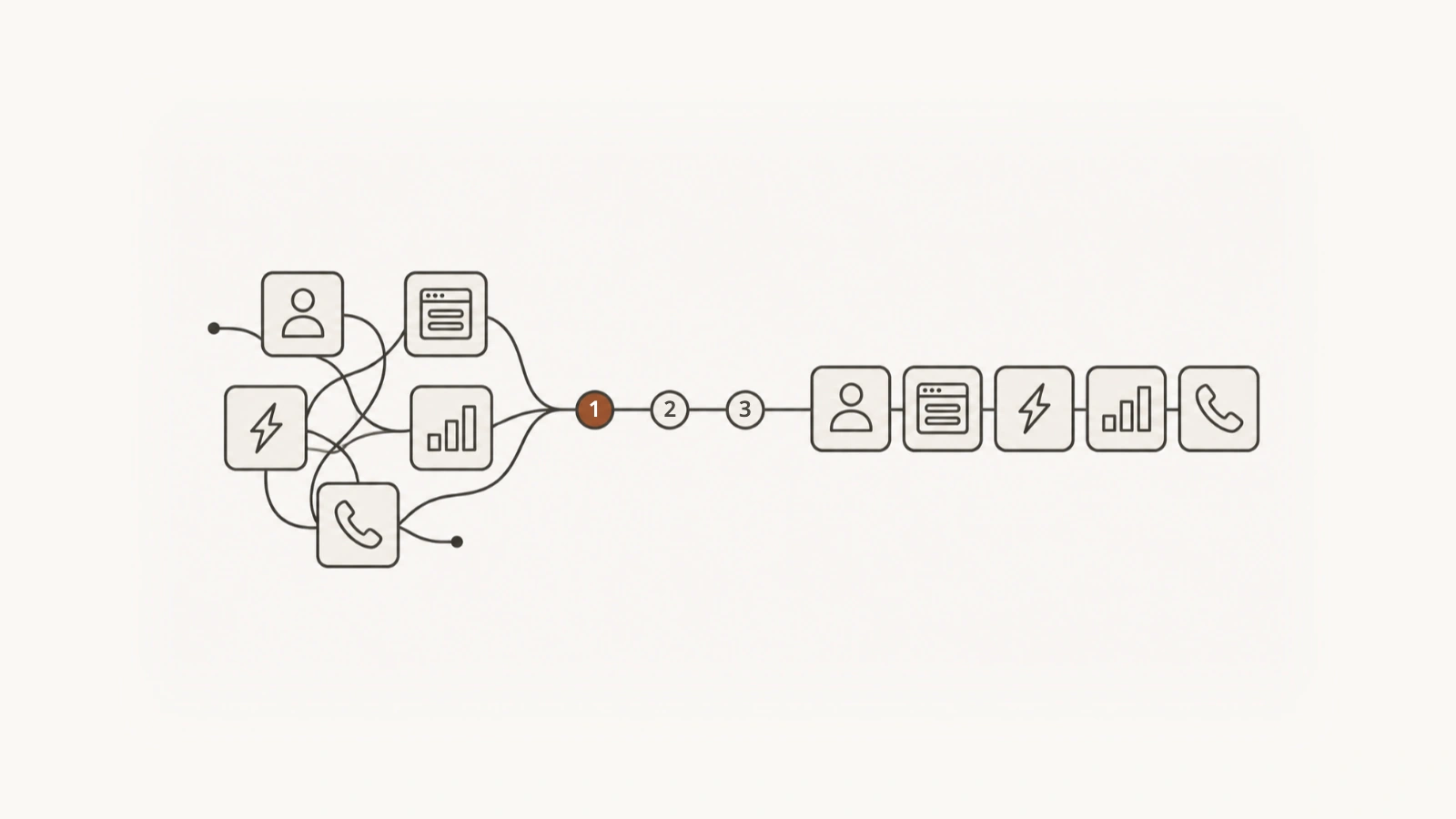
It gets messy because tools get added and almost never retired. Each new agency, admin or campaign adds a field, a workflow or an app, and nothing gets switched off. Marketers estimate they use only about half of what their stack can do. And there are 15,384 martech tools on the market, so there's always another one to buy.
The data is hard to find more often than it's wrong. At one client there were several different fields for which brand a contact belonged to, and every team used a different one. So every report told a slightly different story.
The line I keep coming back to in findings meetings: "The CRM isn't failing because your team won't use it. It's failing because the system underneath is confusing, the data is unreliable, and the reports built on it can't be trusted." Your people built workarounds because they had to.
Why shouldn't you replace tools in your first 90 days?
Because month one is too early to know whether the tool is the problem or the setup is, and most of the time it's the setup. The system was configured for the business as it was three years ago, and the business grew around it.
The thing new leaders most want to rip out is usually the CRM itself. "Let's just move off this thing." Do that in month one and you throw away the only record of how things work, then migrate the mess into a new tool.
Replacing a tool rarely makes a stack simpler, either. Of the teams in MarTech's 2025 survey that replaced an app, 62.9% added applications to their stack and only 22.6% saw it shrink. Teams seem to have noticed: CRM replacements fell from 22.1% to just 9.7% in a year.
Is replacing ever the right call? Yes, when two tools are doing the same job and people are juggling both. That's consolidation, not replacement, and it still waits until you know what each one actually does.
Days 1 to 14: what to do before you touch anything
The first two weeks are for listening and recording. Don't change a setting yet.
- Take a baseline. Get website and CRM access first (that usually covers the forms too). Then screenshot where things stand, with the date range visible: contact counts, duplicates, lifecycle stages, form conversion, and time to first follow-up. It takes about 20 minutes. Once you change something, the "before" is gone for good, and so is your proof that anything improved.
- Find out who sells well. Ask the sales manager who the high, middle and low performers are. Then interview the high and middle performers one on one, for 30 to 45 minutes each. One on one matters: people tell you things in private they'd never say in a group meeting.
- Talk to the people around the edges. Whoever runs the website, whoever pulls the numbers for leadership, and any outside developer or vendor who touches the integrations.
- Submit a lead yourself. Fill out your own form and time how long it takes a human to respond.
The questions I ask every rep:
- Walk me through the last lead you worked, from the moment it showed up to today.
- Where do you keep notes or lists outside the CRM? (Spreadsheets, Notion, Outlook, your personal phone.)
- What do you type in more than once?
- What does each stage on the board mean to you? (You'll get a different answer from every rep.)
- Which report do you actually trust, and where does it come from?
The point isn't to catch anyone out. Your best reps already have a process that works. It's just locked in their heads. That's why my diagnosis-first approach starts with people, not settings.
If you only track one number from this period, make it speed to first touch: the time from a new lead arriving to the first real outreach. Right behind it is the share of contacts that have an owner. If most of your contacts have no owner, most of them aren't being worked, whatever the dashboard says.
How do you find out what's actually running in your martech stack?
Check three places, in this order: finance for what you pay for, the tools themselves for what still fires, and one lead followed end to end for what actually happens.
| Where to look | What it tells you | What it can't tell you |
|---|---|---|
| Card statements and invoices | Which tools you're paying for | Whether anyone uses them |
| The tools themselves | Which workflows still run (sort by last run date), which apps are connected, and who has admin rights | What happens to a real lead |
| One test lead, end to end | Where it lands, who gets told, how fast, and what's missing when it arrives | Why things were set up that way (that's what the interviews are for) |
In the tools, you'll almost always find automations that have never run once, and far more admins than anyone realizes. Then check the integration error logs. At one client, the logs showed the CRM quietly rejecting new account registrations from the website every week because of a field mapping error. The sales team had been calling those accounts "mysterious" for months and re-entering them by hand.
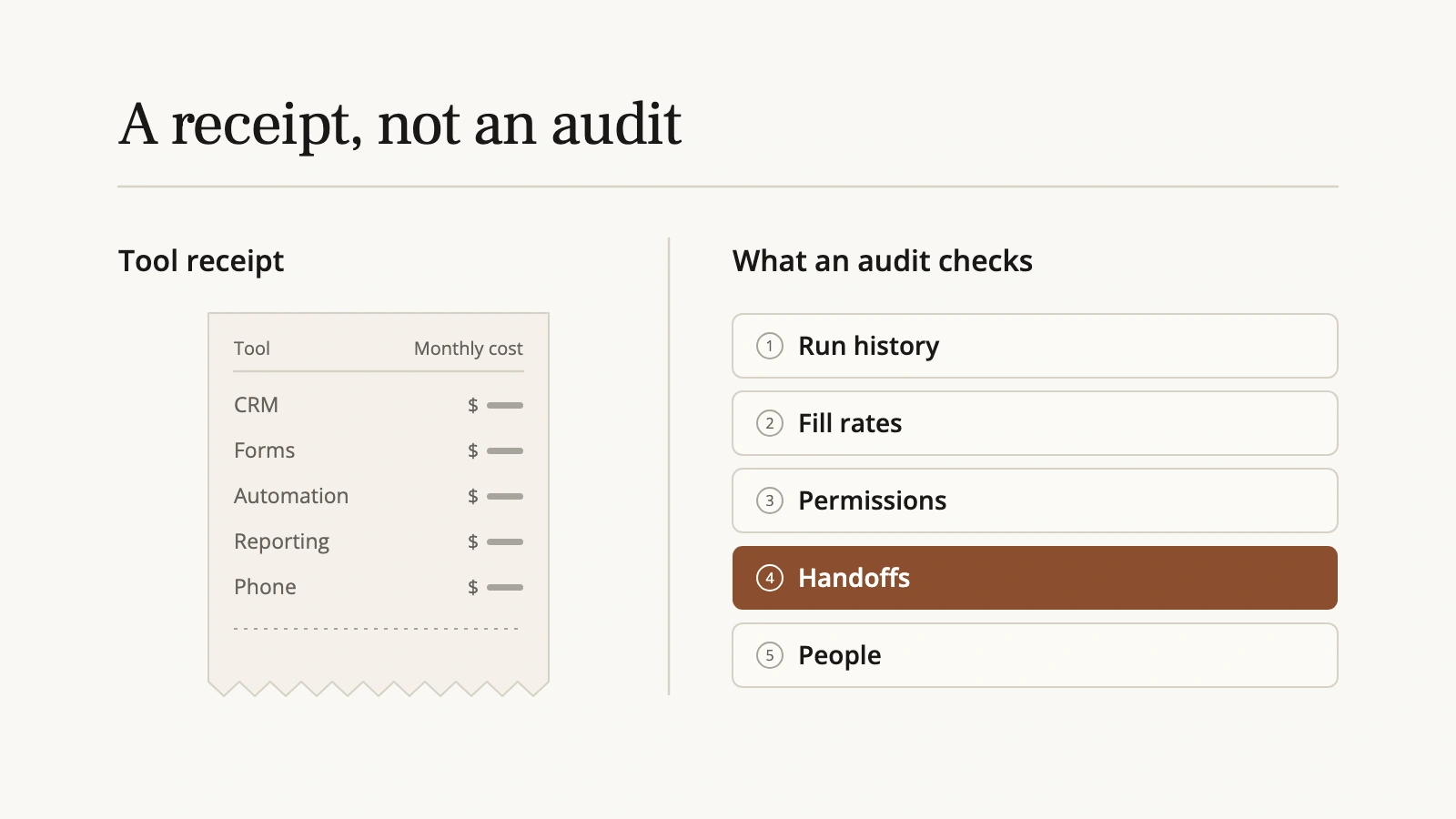
This is also why I don't trust martech stack audits as most people run them. A spreadsheet of tools and costs is a receipt, not an audit. It tells you what you pay for. It misses:
- Run history: which automations still fire, and which have never run.
- Fill rates: a field nobody fills in is worse than no field, because it looks like data.
- Permissions: who can change what, and how many people have the keys.
- Handoffs: the points between tools, which is where leads actually leak.
- People: the interviews tell you why things are there and what people do instead.
Score every finding on two things: what it costs the team today, and how hard it is to fix. That score sets the order of the work. A list of 40 problems with no order is just a more expensive spreadsheet.
Who should own your martech stack?
One named person, chosen within your first 30 days. Not a committee, and not "marketing."
Configuration drifts when nobody owns it. Bad reporting, workarounds and leads that go nowhere all trace back to that gap. The marketing leader owns the outcomes but not the plumbing. And it's a common gap: in Validity's 2026 survey of marketers, only 41% of organizations had a dedicated owner for data governance.
Once you've named the owner:
- Cut admin access down to the few people who need it.
- Write a one-page rule for who can change what, including what vendors, partners and consultants can touch.
- Add one line: new fields need the owner's sign-off. That line alone stops most of the drift.
Who should that owner be? You have three options, and only one works inside 90 days:
- Own it yourself. This works for a month or two, not longer. You'll get pulled off it the minute a campaign runs late.
- Hire someone. It's the right long-term instinct, but a slow fix. It takes months to find and ramp a marketing ops person, and they inherit whatever is broken today.
- Bring in an owner for now. Fix and document the foundation, then hire into something that works.
When one client's leadership asked me who should own their CRM, I said me, for now, with a written plan for handing it off. That's the gap our marketing systems work is built around. Our Systems Partner option is ongoing ownership of the marketing tech: two working sessions a month, a roadmap, and one project plus one task always in flight.
Days 31 to 60: fix the record before the dashboard
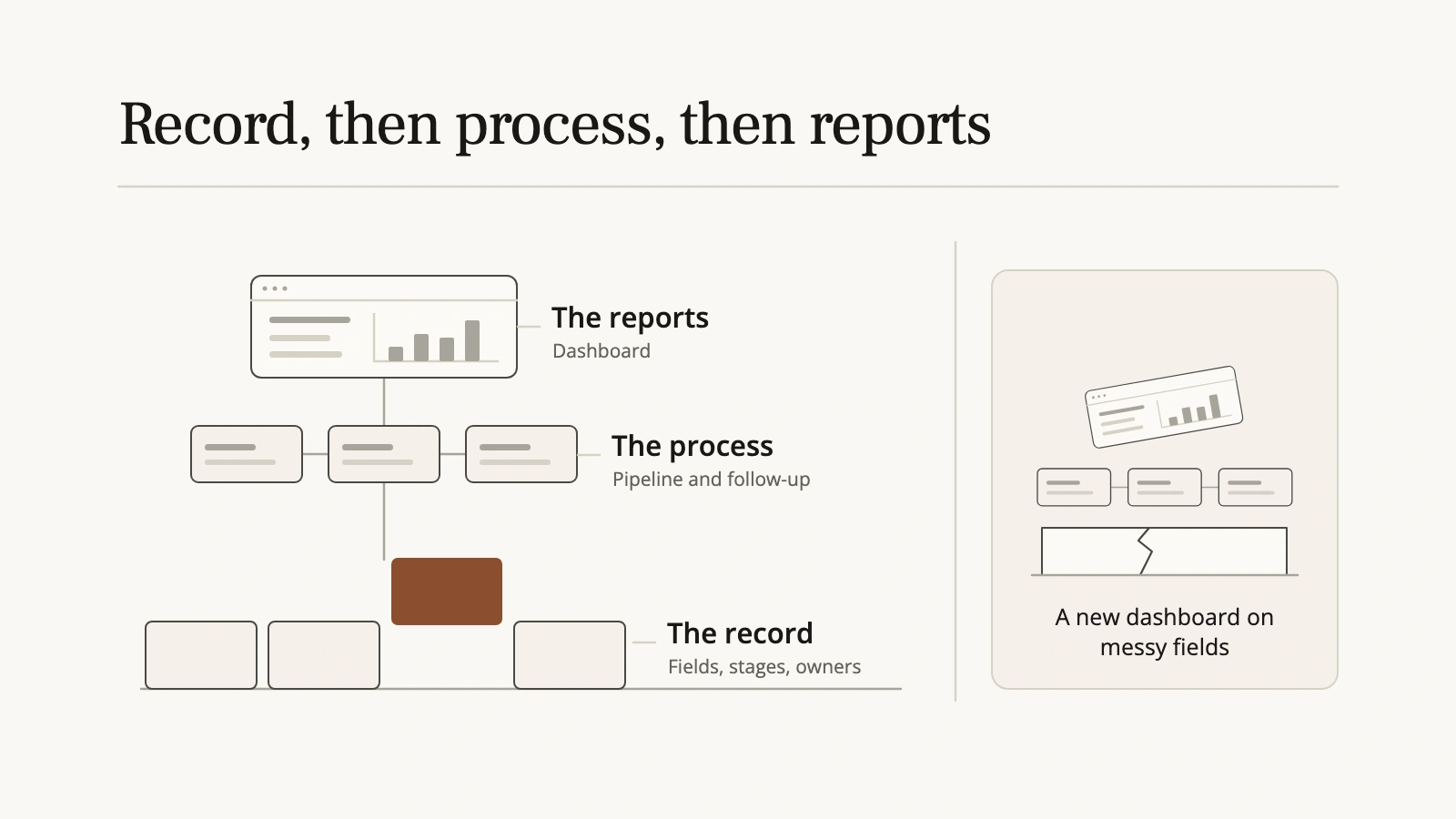
Every dashboard sits on fields and stages. If the fields are duplicated and the stages mean something different to every rep, a new dashboard just shows you the wrong number faster.
At one client, leadership pulled every number from a separate BI tool, because the CRM's pipeline was full of old order records nobody had ever closed. A better dashboard wouldn't have touched that. Closing out the old records and agreeing what each stage means would.
The cost of skipping this step is real. In the same Validity survey, 62% of organizations reported losing revenue directly because of poor CRM data quality.
Here's the order I use:
- A few quick wins the reps feel in the first two weeks. For example, let reps fix their own stage mistakes instead of filing a request with an admin. They see the system getting easier before you ask anything of them.
- Clean the record, highest value first. At a multi-brand client, that means putting the brand on every contact, so marketing can email each brand's customers with confidence.
- Rebuild the pipeline from how your best reps actually sell, not from a template.
- Then build the reports, on fields you now trust.
One rule drives the whole sequence: the record has to be accurate before the process can be.
Fixing the record often means removing things, not adding them. In the Ecoplex rebuild, 19 Webflow forms and 28 Zapier automations became three of each, and the sales team stopped getting calls built on bad data. Bad-data calls had been running at around one in ten.
Too many tools, or too few?
Usually too many. At one client I told leadership plainly: to simplify this, we actually need less. Sales teams feel it most. In Gartner's 2024 survey of B2B sellers, 70% felt overwhelmed by the number of technologies their work required.
But cut below what the work needs and people don't stop doing the work. They move it to a personal phone or a spreadsheet, which is just a tool you can't see. Take a CRM whose built-in texting only handles marketing sends, so reps can't text a customer one to one. The reps text from their own phones, and none of it is logged. A dedicated sales texting tool that logs back to the CRM earns its place there.
So the test isn't how many tools you have. It's whether every piece of work has an official home that the CRM can see.
Sometimes the tool isn't the problem at all. One sales team I'm working with had been given two different business calling and texting tools over time. Both rollouts stalled, and reps went back to their personal phones. The tools were fine. Reps were being asked to juggle three phone numbers, and neither rollout came with training, reply-time expectations, or a date after which using it was required.
What I've recommended there: get it down to two numbers, have the CRM log calls made from the personal phone, and treat adoption as its own project. In my experience, a new habit takes about seven training sessions over roughly three months to stick, plus reply-time targets set by the sales manager, a weekly report per rep, and a firm date when it becomes required. That recommendation is with the client's leadership now.
I saw the same pattern in-house at Mission Cloud Services. I was asked to redesign a sales slide deck, but the real problem was that the top performers' knowledge was trapped in their heads. We built a lead career path, weekly office hours and quarterly presentations alongside a modular sales slide library. The result was roughly a 30% efficiency gain, with zero new hires.
Where does AI fit in your first 90 days?
Add it after the record is clean, and use it first where it reads, not where it decides.
AI on a messy CRM gives you faster wrong answers. If the brand field is empty on most contacts, an AI-built segment of "this brand's customers" is wrong, and it sounds sure of itself. Gartner found that half of martech leaders say their organizations lack the technical and data stack readiness for AI agents.
Where AI helps a new leader right now is the first pass of an audit. I use it to sweep properties, workflows and forms, and it takes days off the work. But every headline number gets a human check before it goes in front of leadership. On one audit, the first pass got a marketing reach figure badly wrong, and the human check caught it before anyone made a decision on it.
Two rules I hold to:
- When I connect AI to a client's CRM, it's read-only.
- Changes to the system come from interviews with the people who use it, not from what the AI suggests.
What should you be able to show your CEO at day 90?
The same screenshots twice: day one and day 90, with the same date ranges, side by side.
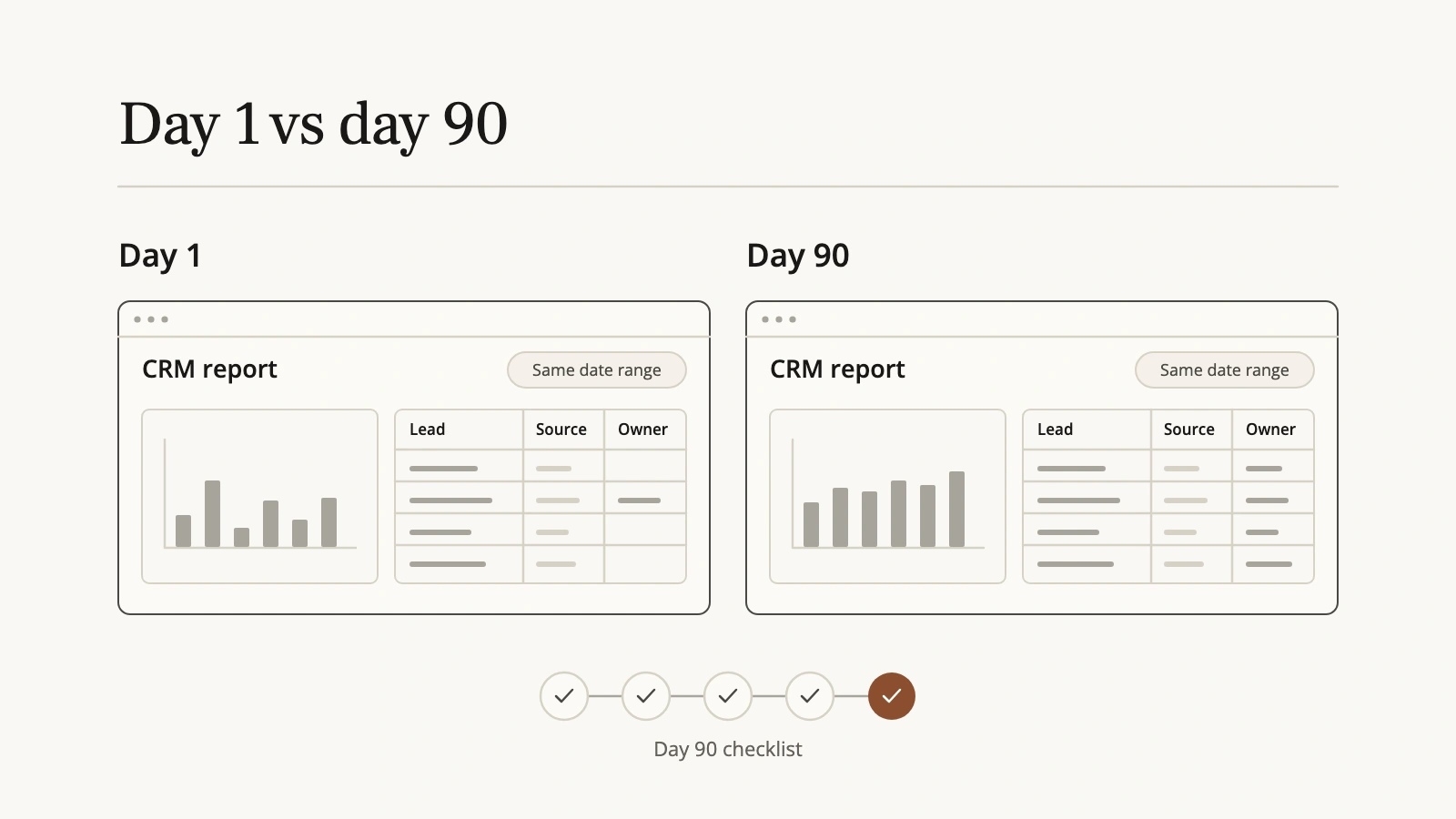
That matters more than it sounds. In a Gartner survey of CEOs and CFOs, only 22% said they had clarity from their CMOs on roles and responsibilities. A before-and-after gives that conversation something concrete to stand on.
Beside the screenshots, you should be able to show:
- One named owner for the stack, and a one-page rule for who can change what.
- Every new lead with an owner and a source.
- Reps working in the CRM, with calls, texts and emails logged, not living on personal phones and spreadsheets.
- Stage definitions written down and used the same way by every rep.
- A short, ordered list of what comes next, with what each item is worth.
What done is not: a new dashboard.
Write "done" down before you start. With a multi-brand professional hair care group I'm working with now, a new CGO inherited a CRM that several agencies and admins had touched and the sales team had stopped trusting. Their plan defines done in the agreement itself. The cleanup phase is done when the field set matches the audit's verdicts, lifecycle stages are live and documented, duplicates are merged, and the brand is verified on test submissions for every brand. The pipeline phase is done when the new boards are live, a live week has run with adjustments made, and the team is trained.
The test I use for every fix: will it still be working six months from now if nobody is actively managing it? If yes, you built a system. If no, you built a band-aid.
The takeaway
The biggest mistake a new marketing leader makes with the stack they inherit is treating it as a tool problem. It's almost always an ownership problem. The stack was set up for the business you used to be, a lot of people have changed it since, and nobody's job is to keep it working.
Spend your first 90 days making it someone's job. Then decide what to buy.
If you've just inherited a stack and want a second pair of eyes, book a 30-minute call with me. You describe what's broken, and you leave knowing whether it's a project or a partnership, and roughly what it costs.